future-meeting-trendsIt’s easy to look at attendance numbers and report that the meetings and events industry is and has been growing—but why is it growing? And how do we help keep that upward trajectory going?

Hospitality giant Marriott International has announced a partnership with meeting leaders Professional Convention Management Association (PCMA) to answer that question. They delved into the trends they anticipate will shape the future of meetings in order to understand what aspects of today’s events are encouraging attendance and interaction.

In a time where “disruption” has become the king of all buzzwords, the two companies have compiled a group of experts from myriad fields to focus on personalized technology, wellness, collaboration, and other future meeting trends.

“In 2015, the majority of both meeting professionals and meeting venues reported growing attendance and revenues,” said Deborah Sexton, PCMA president and CEO. “While we are excited about these strong results, we also need to remain focused on our industry’s future. Together, PCMA and Marriott International identified both the trends on the horizon and the actions we need to explore to prepare our constituents to leverage these trends.”

The group of experts compiled by PCMA and Marriott consists of those in data science, media architecture, and sharing economy fields. Together they identified five actions planners will need to take in order to leverage meeting engagement in the next three-to-five years.

1. Use Sensory Analytics to Measure Engagement in Real Time

Advancements in data analytics, as well as physical sensors, are simplifying the ability to collect data about attendees’ physical experiences, analyze the inputs and make adjustments in real time. This will allow planners and presenters at a given event drive greater impact, rather than learning after-the-fact that attendees lost interest midway through the event.

Sensor technology, which will measure things like heart rate, eye movement, and stress levels, will have the power to measure engagement levels of individuals and groups so that events can be tweaked in real time to ensure a successful outcome.

2. Support Tribalization and Collaboration

One of the trends that has surfaced in the last few years is a move away from individualism and into group or “tribal” activities.

As a result, events must become more about the list of attendees and less about the speakers and their topics. The meeting must foster small group connections that supports collaboration through adjustable infrastructure and technology.

“Platforms like Facebook and Instagram allow access and exposure to vast areas of interest, and I think there’s more comfort now in how that translates into physical gatherings and communities,” said Matthew Von Ertfelda, vice president and team lead of Marriott’s Insight, Strategy, and Innovation Team.

3. Let Attendees Forge Their Own Paths

Today people have countless options for how they consume media. That freedom to choose can (and should) also be reflected in your events and meetings.

“I don’t want the organizers to determine my experience for me,” said Sherrif Karamat, COO of PCMA.  “Instead, I want them to create a platform where I can personalize my experience.”

A dynamic environment that has the potential to change at a moment’s notice will give attendees a sense of ownership and self-discovery. Throw out the rigid agendas and concrete floor plans.

4. Take Wellness to a Whole New Level

Anyone whose attended a meeting in 2015 will agree that the focus on personal wellness has blown up. And it’s not just physical. It encompasses one’s mental, emotional, and social state, too.

This means that planners must provide options to suit myriad individual health goals.

This is what Suzy Badaracco, president of Culinary Tides, referred to as a “Pandora’s Box” trend, stating, “Once opened, it’s going to be almost impossible to close; there are no adversaries coming to the forefront.”

Hotels will also feel the effects of this change, changing not just their menu options, but even making details such as lighting and airflow customizable.

5. Prepare for Immersive Telepresence

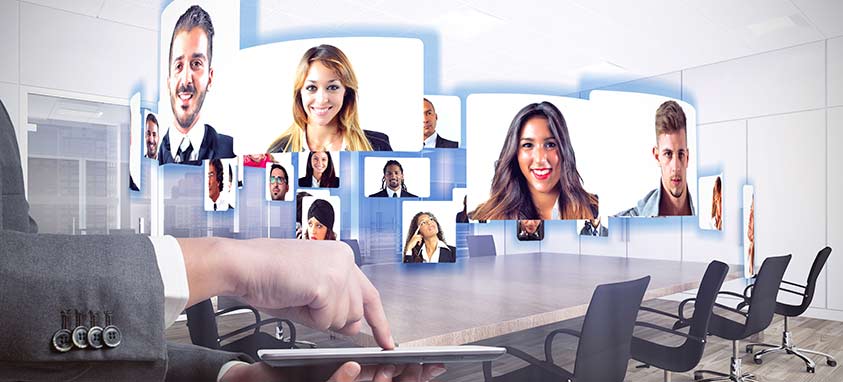
What once sounded like a stretch of the imagination is now a very real option for remote meetings. Immersive telepresence brings speakers and attendees from around the world together in a single room.

To adapt, the meetings industry must find ways to work with new formats that seamlessly convey content and ideas with similar—if not stronger—storytelling than in-person presentations and gatherings, and must appeal to attendees in-person and remote alike.

Is your business prepared for these and other future meeting trends? Tell us what else you anticipate from attendees in 2016 and beyond.
With the increasing travel and remote work happening in different industries across the U.S., meeting planners need to stay on their toes now more than ever to arrange last-minute travel accommodations and meetings.

There’s a new mobile app that’s here to help.  Bizly, a mobile app for iOS devices, just launched in New York and provides planners with the power of on-demand booking of small (40 people or less) meetings at leading hotels at competitive prices. And here’s the best part: the service was designed to accommodate last-minute bookings, with a window of under 30 days.

New York-Born Bizly

The self-financed tech company has partnered with prominent New York hotels including Ace Hotel, Bryant Park Hotel, Mandarin Oriental, and Standard Hotels. Meeting rooms are aggregated and sold at hourly rates as low as $75 per hour and the app offers negotiated rates for same-week bookings up to 75 percent off.

“Our exclusive focus on hospitality inventory makes all the difference versus any other solution available today,” says Bizly founder and CEO Ron Shah.  “Enterprises can be confident that they will always get consistently high-quality meeting experiences that boost productivity and morale.”

Shah explained that the downside to booking conference rooms within another business is there’s a risk of contention between businesses sharing a space.

“We exclusively work with the hospitality industry so you know you’re getting privacy in a quality hotel,” Shah says.

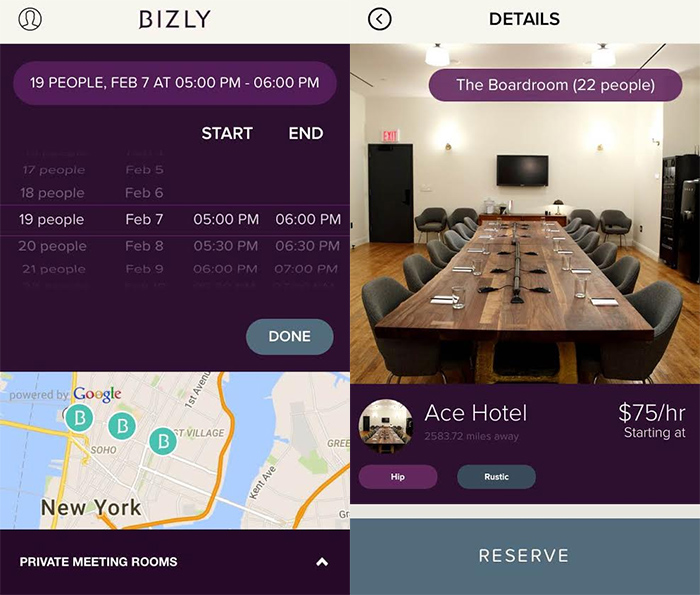
Users know what to expect before booking. They’re not only provided with photos of the space, but a description of the layout that’s written by Bizly staff who have been onsite to check the venue out. Whether the room includes bottled water, audio visual equipment, or an Apple TV, every detail is disclosed in the app.

These screengrabs taken from the Bizly app show how to book a room.

Bizly app interface (Photo courtesy Bizly)

The app’s easy-to-use interface allows planners to transparently compare prices and brands, check hotel accommodation options, and even select pre-negotiated food and drink options for their meetings. Other features of the app include sending meeting invites and booking rides to the meeting location with the rideshare company Uber.

Guests who receive a meeting invite from the host will then receive an email with a digital VIP boarding pass that includes location details, Wi-Fi password, and contact information so they can check in quickly and get to their meeting.

“We’re an end-to-end solution so there is a back-end interface shared with the hotels,” Shah says. “There is a series of alerts that let the hotel know when a room has been booked; it can remind the caterers when food has been ordered [for the meeting] and reminds the front desk that attendees will be arriving, so there are multiple touch points between us and the hotel.”

Tags appear under venue photos that describe the decor of the office, such as Rustic, Upscale, Casual, Efficient, Sleek, Zen and Modern.

The Future of Bizly

If you’re not an Apple user and don’t hail from the Big Apple, fear not. Bizly has plans to launch a web interface and an Android app later this year, and hopes to expand all over the U.S. throughout 2016.

They’re also eyeing the possibility of adding a private dining function to the app, converting small hotel guests rooms into optimal work spaces, and are searching for innovative ways to partner with meeting planners to create an incentive plan that will benefit them.

Marriott Convention & Resort Network

Hoping to build on the record numbers posted last year throughout the meetings and events industry, hotels, resorts and convention centers are striving to set themselves apart to make planners’ jobs easier and offer attendees unforgettable experiences. Marriott Convention & Resort Network, which features more than 60 properties across five brands, has come up with five meeting solutions sure to make 2016 better than ever.

Marriott Convention & Resort Network includes meeting venues under the JW Marriott, Autograph Collection Hotels, Renaissance Hotels, Marriott Hotels and Gaylord Hotels flags. Combined, the properties offer more than 6.7 million sq. ft. of event space and 62,000 guest rooms. Here’s a look at meeting solutions and a few examples where trends are already being implemented.

Mental Wellness for Planners and Attendees

Being skilled at stress management is nearly a job requirement for meeting planners whose field is consistently ranked as one of the most stress-filled careers. Yoga and meditation-type activities have proven to be great ways to relax and distress. But new ways to reduce stress and promote well-being include scheduled breaks for power naps and serving up healthy brain-boosting snacks and juices.

Some hotels and resorts are becoming more inventive. For example, Fort Lauderdale Marriott Harbor Beach Resort & Spa offers attendees friendly, competitive activities such as beach Olympics and Survivor participation events. Yoga on stand-up paddleboards has become very popular at Frenchman’s Reef & Morning Star Marriott Beach Resort in St. Thomas.

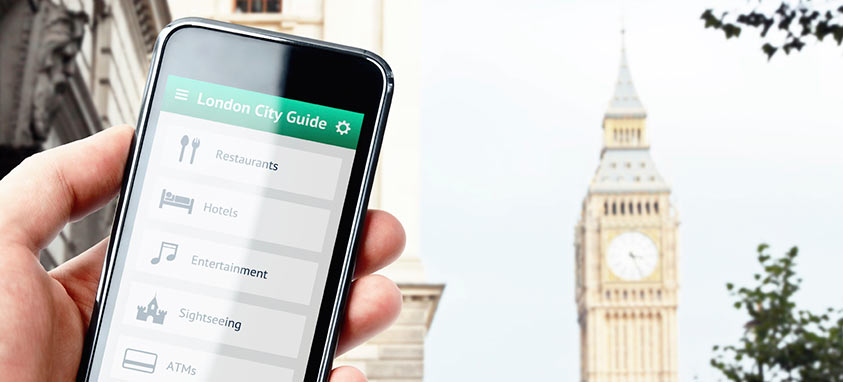
Mobile Tools Essential for Planners

Marriott knows that apps have become a critical way for planners to maintain constant communications with attendees before, during and after events. The Marriott Meeting Services App allows meeting planners and hotel teams to communicate directly.

When Marriott recently held its own “Americas Meeting” at JW Marriott Cancun Resort & Spa, the company’s 700 attendees relied on the Bonfyre app to enhance communications during before and during the four-day conference.

“In 2016, you can virtually have a paper-free, information-rich meeting or event all by using a smartphone or tablet,” says Michael O’Connor, director of event management at Gaylord Opryland Resort & Convention Center in Nashville.

Elevate Beverage Experiences

According to a survey of Marriott Network members, 69 percent of hotels and resorts reported that meeting planners are upgrading food and drinks at their events. Marriott believes that some of the most dynamic hospitality positions today are beverage directors.

Gaylord National Resort & Convention Center in National Harbor, Maryland, reports that beverage trends include moonshine bars, cocktails on tap, customizable cocktails for groups and bourbon bar food pairings. A popular pairing has become a small plate of pork belly with a blackberry glaze accompanied by a bourbon cocktail shooter.

The Wow Factor

One of the biggest factors coming up on check lists is ceiling heights needed to accommodate big projection screens, special lighting, video mapping and stages designed to wow attendees. For this reason, Marriott’s new large convention hotels have designed their ballrooms with this in mind.

Ceiling heights of 20 feet or more are found in the newly opened Marriott Marquis Washington, DC and JW Marriott Austin. Marriott Marquis Houston, Marriott Marquis Chicago and the Gaylord Rockies Resort & Convention Center are under construction and will taking this trend into consideration.

Immersive Meeting Solutions

There’s a big movement to provide attendees with experiences that embody the destination in which an event is being held. The Marriott Network properties are helping arrange everything from a recorded wake-up call by the CEO to food trucks for the mid-afternoon refreshment break to fireworks during evening receptions.

“We send off our group guests to their dinner locations with a real-life Mardi Gras parade with beads and Jester hats and hurricane cocktails in their hands,” says Branko Bahat, director of event management at New Orleans Marriott. “A high school marching band leads the way with shiny decorated Mardi Gras floats. They parade down the street in awe of the spectacle.”

Marriott Convention & Resort Network was designed to develop and promote meeting solutions. With more than 60 properties coming together to research and share success stories, the spotlight on meeting solutions is brighter than ever.

event-marketing-strategyEvent marketing has been functioning the same way for 850 years. Is 2016 the year it changes course?
“The price-per-square-foot model measured by the number of attendees is very fuzzy math, and it’s the kind of math that doesn’t fly in the marketing world anymore,” says DoubleDutch CEO Lawrence Coburn.

The founder of the award-winning events app predicts that event marketing will fall into a data-driven model that will require meeting planners to not only engage their attendees, but have the ability to measure that engagement in order to make future event marketing decisions. (And if you’re thinking everyone has predictions for 2016, you’re right, but he’s one of the few you’ll want to listen to. DoubleDutch was named one of the fastest growing apps in the world by Corbin Ball, was recently named to Deloitte’s 500 fastest growing companies in North America, and it saw an 80 percent ARR growth in 2015.)

In Coburn’s words, event marketing is about to have its own “AdWords” moment: a revelation in which planners realize getting attendees in the building is only the first step.

“Prior to 2003, it was okay to buy a flashing banner ad on Yahoo and just know you were reaching people without really knowing about its [the ad] performance,” explains Coburn. “Events are still in that world. The technology exists for event organizers to instrument our events the same way we would a website. Advertising, marketing automation, CRM, email marketing, SEO: they all can benefit so much from the data events are generating. They won’t just sit on the sidelines anymore ignoring the wealth of data slipping through the cracks.”

Event Engagement

The buzzwords Coburn emphasized for 2016 were “Event Engagement” – a strategy that engages consumers and encourages them to participate in the provided content. In the event world, the event itself is the content, and the sessions, speakers, exhibitors, and attendees are the moving parts that make it up. The overall experience is what will drive engagement levels. But how is it measured?

In 2015, analytics focused on some of the visible data and behavior of event attendees, such as social media interaction. The next big thing, according to Coburn, is messaging.

“Messaging is going to become a core reason that attendees download event apps,” says Coburn. “In the early days, it was all about the agenda; the paper guide on the phone. Then it was the activity feed amplifying interesting conversations and complementing the content. And now we are going to see the same thing happen to event apps that is happening to just about every other kind of app: beautiful, rocket-fast, instant one-to-one or one-to-many messaging will become a core use case.

“A quick look around the tech landscape will show you that the messaging apps are dominating in many different segments: Slack, Hipchat, Snapchat, WeChat, KakaoTalk, Line, Facebook Messenger, WhatsApp… events are ripe for messaging disruption, and messaging can help our world; no other feature has the potential to extend the shelf life of an event like messaging can.”

The Year-Round App

If you’re skeptical about attendees glued to their phones messaging, consider this: where DoubleDutch succeeds and where most event apps fail is its addictiveness—not because it has become a distraction, but because it’s become a networking resource specific to a niche that didn’t previously have a social network.

Industry leaders are all in one place when they come to an event, and if the event app allows them to connect and stay connected, they now have a digital phone book of the exact professional contacts they need to keep the conversation going. And where does the conversation keep going? In the app.

“Imagine going to IMEX and having these digital discussion rooms,” says Coburn. “There are channels for CVBs, for event tech, destinations, lodging and hospitality. They’re virtual rooms to gather and talk about those themes. It’s not about the three-day event. It’s about the people.”

DoubleDutch in 2016

What’s next for the forward-thinking event app? Frankly, lots of things. The creators are focusing on exhibitors to help generate more ROI, charted offerings, and lead scaling, and will continue investing on the exhibitor side of the events world in the next year.

Taking user feedback into account, they’re also aiming to make integration possible with marketing stacks such as Salesforce, so that customers can build functionality into the app experience.

DoubleDutch is a San Francisco-based tech company started in 2011 that provides mobile applications and performance analytics for events, conferences, and trade shows for more than 1,500 customers including SAP, UBM, and Urban Land Institute.

If you’ve ever been caught in a moral dilemma that’s forced you to choose between catching your flight (that you could have sworn you had plenty of time to make) and indulging yourself at one of the many airport restaurants, we’ve got some news for you. You can get your Buffalo Wild Wings and make your flight.

Perhaps even more traumatizing: No more ordering from Burger King before realizing there’s a Five Guys at the next terminal.

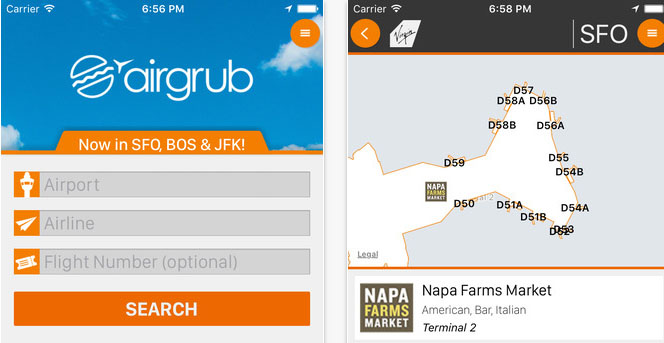
The Airports Council International-North America (ACI-NA) has announced a new partnership with AirGrub Systems – a mobile app that allows users to search, order and pay ahead at airport restaurants and food stands to avoid lines. The partnership aims to expand the app’s reach in North America.

According to Skift, ACI-NA member airports serve more than 95 percent of domestic airline passengers and nearly 100 percent of all the international airline passengers in North America.

This isn’t the first time ACI-NA has helped bring airline passengers and technology together to create a more pleasant travel experience. They’ve partnered with companies that install automated passport kiosks and the Mobile Passport Control (MPC) app, for example.

“We have worked very closely with our members all along the way to ensure we’re focusing on the right solutions and forging the right partnerships at the right time for the benefit of our airport members, their communities, and their passengers,” says Scott R. Elmore, Vice President Communications and Marketing for ACI-NA.

The app lets users see what food options are available based on their location and even their dietary restrictions (Photo courtesy AirGrub)

“There are now so many new dining options, especially local brands that use the airport to reach a global audience, in airports across the country. We want passengers to enjoy their time while they wait for their departures, but security lines can be unpredictable, leaving folks reduced time to grab a bite to eat. AirGrub offers concessionaires greater visibility for someone who wants to order while in line and have their food available as they arrive at the cash register.”

How AirGrub Works

The app, available for Apple iOS and Google Android, lets users see what food options are available based on their location and even their dietary restrictions – perfect for travelers at an uncharted airport.

The app can even notify the concessionaire when a passenger will be delayed to adjust the timing of the order.

Users place and pay for their orders with the app and pick-up their meals at the concessionaire before heading for their gate. The best part is, the company deals directly with airport management and concessionaires and doesn’t apply a service mark-up to dishes ordered by its users.

The app launched at San Francisco International Airport (SFO) in July 2015, and has seen tremendous success. It has also partnered with Boston Logan International Airport (BOS) and John F. Kennedy International Airport (JFK).  In January, AirGrub announced that it would reward users for their purchases with airline frequent flyer miles and points.

Layover tours with a local

Here’s a trend most international travelers wouldn’t hate to see catch on: layover tours with a local. Why not make the most of your hours-long layovers by getting the lay of the land by someone who truly knows the best spots in town?

KLM Royal Dutch Airlines (KLM) announced a program that aims to do just that. Layover with a Local matches travelers with at least six hours of layover time at Amsterdam Airport Schiphol with local residents to show them around, and the airline covers the cost of a train ticket to the city center and a round of drinks at a bar on the airline’s list of participating venues.

The match is made based on the host’s and traveler’s spoken languages and similar social interests.

Travelers must register within the app at least 36 hours before the layover to qualify. And in case making an international friend wasn’t enough of an incentive for the host, the local chauffeur is automatically entered to win a trip to the home country of the traveler they’re paired with.

After registering in the app, the traveler and the local can establish a meeting point. The app also assists the traveler with returning to the airport in time to make their next flight.

“This initiative fits KLM’s positioning as a social airline,” says Tjalling Smit, senior vice president of Digital at Air France-KLM.  “Around 70 percent of KLM’s passengers catch connecting flights at Schiphol, which is why we created this service that turns layover time at the airport into a unique and social experience in Amsterdam with a new friend. Travelers who catch a brief glimpse of Amsterdam this way may decide to come back in future to get the full Amsterdam experience.”

Currently to be eligible for the program, travelers must be departing from the United States, Canada or Italy between March 22 and May 31.

Stopover Buddies

Recently, Icelandair introduced a similar program, Stopover Buddies, which pairs visitors on layovers in Reykjavik with an airline employee to show them the area. They participate in exhilarating activities such as sea swimming, heli-skiing, cross-country running, and mountain biking, perfect for travelers who want to cover lots of ground fast and be tired out and ready to crash on the next leg of their flight.

Turning what would be downtime in the airport into a once-in-a-lifetime opportunity to explore a new city is a no-brainer. Imagine if every long layover was an opportunity to make a new friend, sample some local grub, and learn something new about the culture and history of a new city? Not to mention, as Smit said, to encourage travelers to make their layover their next travel destination after getting a taste of what the city has to offer.

Business Travel Apps

Whether you’re an event planner who’s always on-the-go or a globe-trotting sales person, there are lots of details that make the difference between an enjoyable trip and a displeasing one, and while some of those details aren’t within your control, business travel apps are really changing the game when it comes to planning a trip.

The problem now is, there are so many apps, and more are being added all the time. How do you know which ones are really worth your while?  Here are 10 tried and true business travel apps and services that any frequent flier should consider their travel companions.

1. PicYourTrip

Certain events call for documentation of a slightly higher caliber than Twitter posts and selfies. PicYourTrip lets travelers book local photographers in their destinations to take photos of their trip experiences. Millennial travelers in particular value photos depicting experiences and want those photos to look professional. PicYourTrip allows you to find a guide in your location to professionally document the event or trip and make those memories instantly available to you.

2. MyBonami 

MyBonami  takes the capabilities of Google Translate one step further. First, it shows travelers restaurant menus in their native language and lets them order through the mobile app. It also translates key phrases so that you can communicate with your server. Receiving a quick translation through a mobile app that places your order for you in another language won’t leave you wondering what you ordered.

3. GateGuru

GateGuru lets you know just about everything you could want to know about your flight and your airport. It summarizes your flight itinerary into a simple, attractive interface. It will alert you of any flight time or gate changes, plus the “stats” feature lets you see how many hours you’ve spent at airports and in planes.

4. NearStory

Want a quick education on your destination? NearStory is an audio platform streaming audio stories from multiple sources that are relevant to a traveler’s interests and location. The mobile app delivers podcasts, historical speeches, news broadcasts, interviews, music, environmental sounds and other audio to travelers. Whether you need some inspiration or want to show off some newfound knowledge, this is the app.

5. Handshake

As the saying goes, always be closing. That means you need the ability to process a sale from virtually anywhere.  Handshake  allows an entire sales-order process to occur in an attractive app that automatically reports sales back to your business for processing. It also offers on-the-go glances at important client information (previous orders, account assignments and more).

6. TripIt 

If you don’t already have and use TripIt, get ready for things to get a lot easier. The app makes itinerary planning a snap, by storing all your various reservation numbers in one place for easy access. All you have to do is forward your reservation and confirmation emails, and TripIt builds a master itinerary, complete with everything you need.

7. XE Currency

Sorting out currency conversions, especially when your trip entails several destinations that use different forms of currency, can get sticky. XE Currency presents a no-nonsense way to sort it out. The app features a table for adding currencies you want to convert to your home currency. You can also add a currency widget to your iOS notification center or Android home screen with live-updating rates so you’re aware of any value changes instantly.

8. Award Wallet

Any avid traveler knows what it’s like keeping track of all your reward cards, account numbers, passwords, etc. Award Wallet lets you store your passwords, balances, and account numbers connected to your frequent flyer miles, hotel and car-rental and credit card loyalty points (even free coffee card awards.)  Awardwallet will even notify you about upcoming expiration dates.

9. Concur

Concur organizes and tracks, saves and submits travel expenses. The app allows you to store all receipts and expenses, eliminating the risk of them getting lost, and it expedites the reimbursement process.

10. Waze

Any GPS app is good to have on hand when traveling in an unfamiliar city, but what makes Waze different is it’s real-time navigation abilities. Waze has 50 million members contributing up-to-the-minute information, from accident alerts to the cheapest gas stations. Other notifications include traffic slowdowns, speed traps, and construction zones.

virtual-meetings

While no one denies that face-to-face meetings offer intrinsic benefits, sometimes it is just not practical. Work teams may be spread across the country or around the world, operating out of offices, hotel rooms, coffee shops or homes. At such times, technology can be a planner’s best friend.

Beth Ziesenis, an author, tech guru and self-described nerdy BFF, points out that there are many virtual meeting solutions available—nearly all of which offer free or reasonably-priced versions. Next time you are planning an event and need to get feedback or input from others who are not in the near vicinity, consider organizing a virtual meeting with one the following 12 tech tools:

virtual meetingsSlack

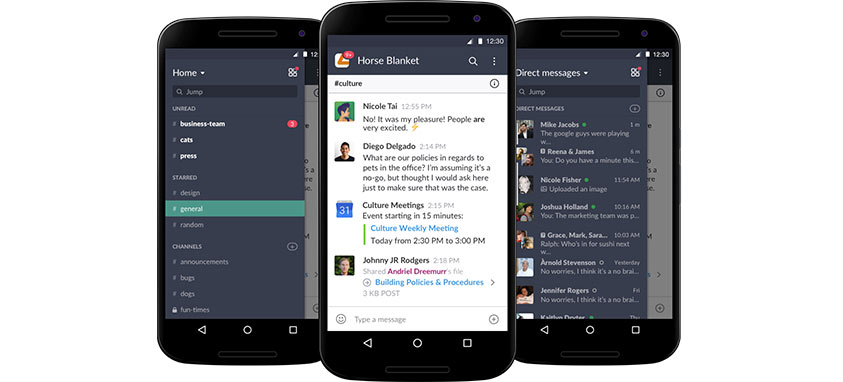
This team messaging tool brings all types of communication together seamlessly, eliminating the need for long email threads and links. Slack users report a 49 percent reduction in internal email, helping them streamline work and become more productive. Team conversations can be organized into open or private channels for particular departments or projects. The app, which can be loaded onto both computers and mobile devices, integrates with all social media platforms, as well as file sharing programs such as Dropbox. Users simply drag, drop and share images, PDFs, documents and spreadsheets. Colleagues can add comments or flag messages for future reference, and the completely searchable platform instantly synchs with other programs. The basic plan is free; three paid upgrades offer enhanced features and controls. Special pricing is available for qualified nonprofits.

Join.me

This versatile, easy-to-use program can be loaded onto desktop computers, laptops, tablets and smartphones. Join.me allows up to 10 individuals to view your screen at the same time, fostering collaboration for idea generation, sales demos and presentations. The online tool ranked No. 1 in customer satisfaction for ease of use, speed, and reliability in a 2014 survey, and was used to facilitate 30 million meetings last year. The affordable program has three levels. The free version features instant screen sharing and video conferencing with VoIP; Pro adds online meetings with unlimited audio conferencing and costs less than $20 per month with an annual contract; while Enterprise offers advanced management capabilities and costs less than $25 monthly with an annual contract.

Dropbox

dropbox1

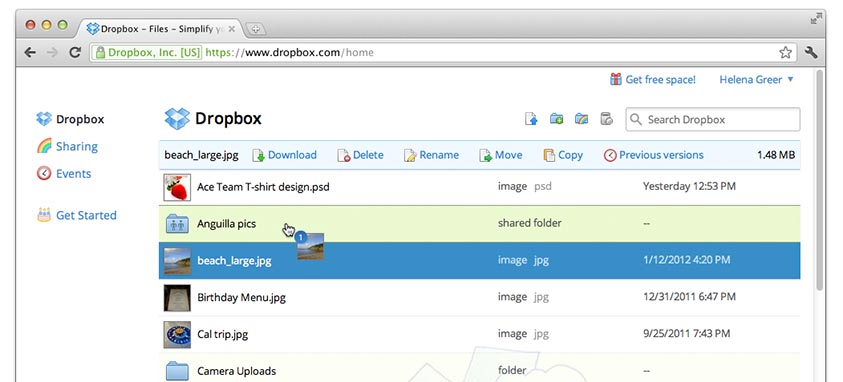
Dropbox co-founder Drew Houston developed the Dropbox concept in 2007 after repeatedly forgetting his USB flash drive while he was a student at MIT. Simple and easy to use, the file hosting service has won many awards. Offering cloud storage and file synchronization, it can house documents, photos and videos. Your team can access this material from anywhere, as the material will automatically show up on all synched devices, as well as the Dropbox website. The tool is particularly helpful for sharing large files and backups. A basic account featuring two GB of free online storage and 20 GB of traffic per day is free; users can upgrade their accounts to provide more capacity. For Pro and Business accounts, the limit is 200 GB per day.

Google Drive

Launched in 2012, Google Drive is a file storage and synchronization service created by Google that allows users to store files in the cloud, share files and edit documents, spreadsheets, presentations photos and audio files. Many view it as the king of real-time document collaboration. Individuals can write and edit on the same document, at the same time, with chat and comment features. All changes are automatically saved. Users can access the documents anywhere, at any time, from their smartphones, tablets or computers. The program is compatible with Microsoft Word, providing editing and styling tools for formatting text and paragraphs. Links, images, drawings and tables can be added. Users get 15 free GB of storage that is shared across three of its most used services: Google Drive, Gmail and Google+ Photos. If that is not enough, they can purchase more storage for a monthly fee.

FaceTime

FaceTime is a video chatting tool for Apple users. With a simple tap, users can make video calls over Wi-Fi from their iPhone, iPad, iPod touch or Mac desktop or laptop to someone else’s, using cameras on the devices. Availability over a cellular network depends on carrier policies, and data charges may apply. The picture-in-picture view allows individuals to see how they appear to the person they are calling, using the front or rear camera, in portrait or landscape mode. Although groups can gather around the Mac screen or integrate the power of Apple TV, FaceTime does not support group conferencing. Unfortunately, FaceTime is incompatible with non-Apple devices. Alternatives for Android users include Google Hangouts, Skype and Viber.

Skype

Skype, which was founded in 2003 and is headquartered in Luxembourg, is a division of Microsoft Corp. Many consider it the granddaddy of videoconferencing tools, and millions use the tool on a daily basis to network with colleagues around the world. The app can be loaded onto smartphones, computers or even televisions that will support it. Free HD video calls can be made and broadcast to groups of up to 25 individuals; Skype can also be used for group chats. Photos and files of all sizes can be transmitted using the tool. Skype to Skype calls are free, anywhere in the world. Calls to mobile and landlines worldwide are charged at low rates. The program supports instant messaging, texts and emojis. A special translator feature allows users chatting with someone who speaks another language to translate calls and instant messages.

Periscope

periscope

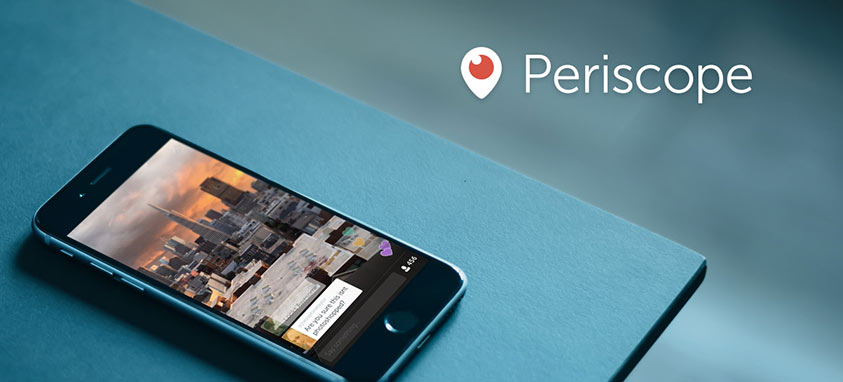
Periscope is a live streaming app for iOS and Android. Users broadcast live video from their phones, in real time. Planners could use it for a live interview that is then streamed to Twitter. During a conference, the planner could give those who could not attend the event a taste of what they missed.

Zoom

Zoom is an online video conferencing service that allows users to pull in up to 50 HD video streams at the same time. Zoom’s engineers have more than 900 years of combined experience working on real-time collaboration software. More than 200,000 businesses, including the California State University system, use it. It offers video, audio and screen sharing, as well as group messaging, on all sorts of devices. Meetings have a time limit for the free version, but the system can be upgraded for $14.99 per month.

Freeconferencecall

This aptly-named tool provides free online teleconferencing for up to 25 people. Calls can be recorded, shared or saved to be heard later on-demand. Free international service is offered to 58 countries, making hosting a global conference call a breeze. The company claims that it has hosted a billion calls. The meeting wall can be customized with a headshot or logo. Apps for mobile Apple and Android devices are available.

GoToMeeting/GoToWebinar

Business travel by plane or car is expensive and time consuming. Companies can significantly decrease costs using meeting/webinar tools. GoToMeeting/GoToWebinar is a flexible, professional and reliable platform used by 3 million users around the world per month. The company says it hosts 56 million online meetings annually. Some attractions of this tool are live 24/7 support, and the fact that the number of online meetings a company can hold each month is unlimited. Privacy is protected with end-to-end encryption and strong passwords. Pricing for GoToMeeting/GoToWebinar ranges from $24 to $49 per month.

WebEx

This product, produced by global leader Cisco, is used by many Fortune 500 companies. The company states that 51 million people per month attend a WebEx meeting. The free version allows users to meet and work with two other people; the premium version offers tiered platforms ranging from $24 per month for up to 8 people, to $69 per month for up to 100 people. Features in the paid subscription models include multiple feed or side-by-side with screen sharing viewing modes, the ability to sketch ideas on a virtual whiteboard or annotate documents, and the ability to record meetings.

GroupMe

GroupMe is a free mobile messaging app that planners can use to coordinate private chats among coworkers. It works on all device platforms. Users can chat on the go, or from their office computers or from tablets at home. It can incorporate pictures, emojis and videos, and has other features such as location sharing and direct messaging.

meeting-planning-apps

These days, there are plenty of event planning and management apps on the market, with new ones released each day. Many of the apps have similar features such as social media integration and analytics, making it nearly impossible to know which tools are best for your team. Here’s the lowdown on some of the best meeting planning apps and their most useful features.

1. Sched: An event management tool that provides planners with a unified platform to create and manage customized event websites and mobile apps
Why it’s great: Aside from email marketing and analytics tools, Sched offers unique features to boost attendee engagement, including personalized agendas, attendee profiles and directories. Sched also has tools to help speakers manage their sessions, upload presentations to the app and even email attendees.

attendify

2. Attendify: This product offers one of the simplest ways for planners to create branded, personalized mobile event apps with the features and custom content they need.
Why it’s great: Attendify’s apps integrate social media and real-time analytics to improve engagement, boost promotion for sponsors and facilitate networking. Attendees can also use the app to access event guides with schedules, and exhibitor and speaker lists.

3. Planning Pod: This online event management software integrates nearly 50 planning tools into one easy-to-use database.
Why it’s great: Planning Pod dramatically streamlines processes by enabling you to manage nearly every aspect of your events—including budgets, attendee lists and event itineraries—all in one place. The application allows your team to keep track of calendars and tasks, share files and create dashboards for a quick overview, or detailed reports for a more in-depth status update.

4. Guidebook: With Guidebook, just about anyone can create a branded, fully customized app. Guidebook is popular among planners who use it to build applications for corporate meetings, conferences and other events.
Why it’s great: For meeting planners, Guidebook offers some exciting features, including enterprise-grade security and the ability to create a corporate handbook within the application.

bizzabo_launch

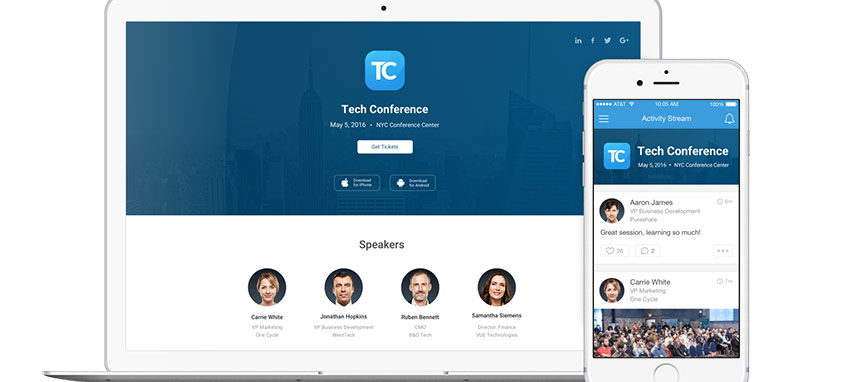
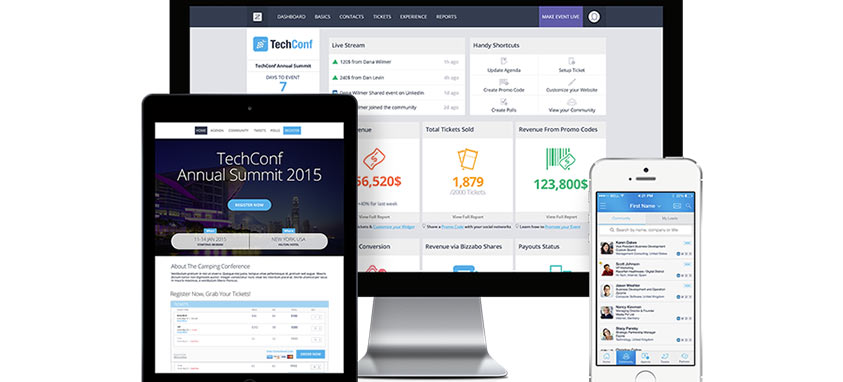
5. Bizzabo: All-in-one event management software used by top companies such as Intel and Accenture. Bizzabo’s list of features includes tools to build custom event websites, boost email marketing, improve registration and analyze event success.
Why it’s great: Bizzabo’s mobile event app has been used at more than 5,000 events to help planners maximize attendee engagement by using in-app polls, attendee profiles and one-on-one messaging for better networking.

virtual meetings

6. Slack: A team-messaging tool that’s revolutionizing the way we work. Slack allows users to organize team conversations into channels, open private channels for sensitive information and share files.
Why it’s great: Although it isn’t built specifically for meetings, planners can use Slack to streamline internal communication and boost efficiency. The app eliminates the need for endless email threads and offers completely searchable conversation archives. Users can also link Slack with other Web tools, including social media and Google Drive, so that they receive notifications only in Slack.

7. CrowdCompass: This platform allows planners to create mobile event apps with a truly powerful suite of features.
Why it’s great: CrowdCompass’ “smart content” technology powers personalized activity feeds and innovative beacons that send relevant notifications to attendees’ phones. Meeting planners can also take advantage of the app’s lead retrieval tools, attendee surveys and one-of-a-kind social games that boost engagement.

event-technology

We want to know how today’s planners are using event technology, what the drawbacks are, and what makes a great tech experience at events. Complete the following survey on event technology in meetings and events, and be automatically entered to win a $100 gift card! There are five chances to win!

When you’ve completed the survey, check out the details below on the upcoming webinar on event software solutions!


Want to learn more about event platforms? Register for our next FREE Webinar, “Meetings and Trade Show Automation: Making the Right Choices for Your Event”